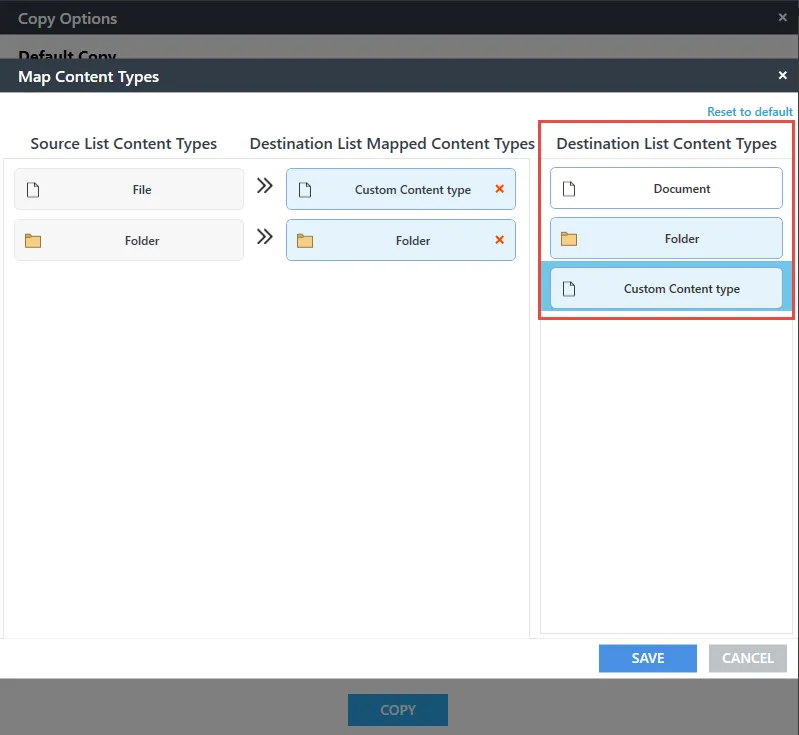

How can I migrate files/folders with required content type at the destination?
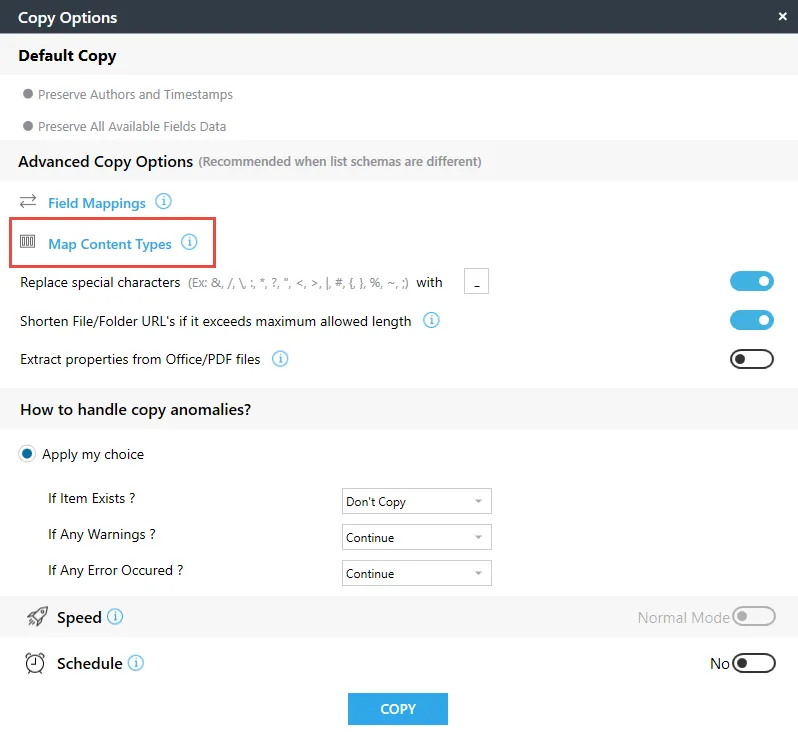
While migrating content, select the Map Content Type option in the copy options pop up. You can easily map the required content type using this option.
Please follow these steps to map content types:
- In the copy, options pop up, click Map Content Types.
[
](https://helpdesk.saketa.com/wp-content/uploads/2018/05/Question-16-step-1.png)

2.In Destination List Content Types section, all the available content type in destination list will be displayed. Map the required content types and click save.